
 rigormorrtiss
dcf681bf63
Remove guilds DropDown title (#6)
rigormorrtiss
dcf681bf63
Remove guilds DropDown title (#6)
|
5 ani în urmă | |
|---|---|---|
| assets | 5 ani în urmă | |
| ui | 5 ani în urmă | |
| util | 5 ani în urmă | |
| .gitignore | 5 ani în urmă | |
| LICENSE | 5 ani în urmă | |
| README.md | 5 ani în urmă | |
| discordo.go | 5 ani în urmă | |
| go.mod | 5 ani în urmă | |
| go.sum | 5 ani în urmă |
README.md
discordo
Lightweight Discord terminal client
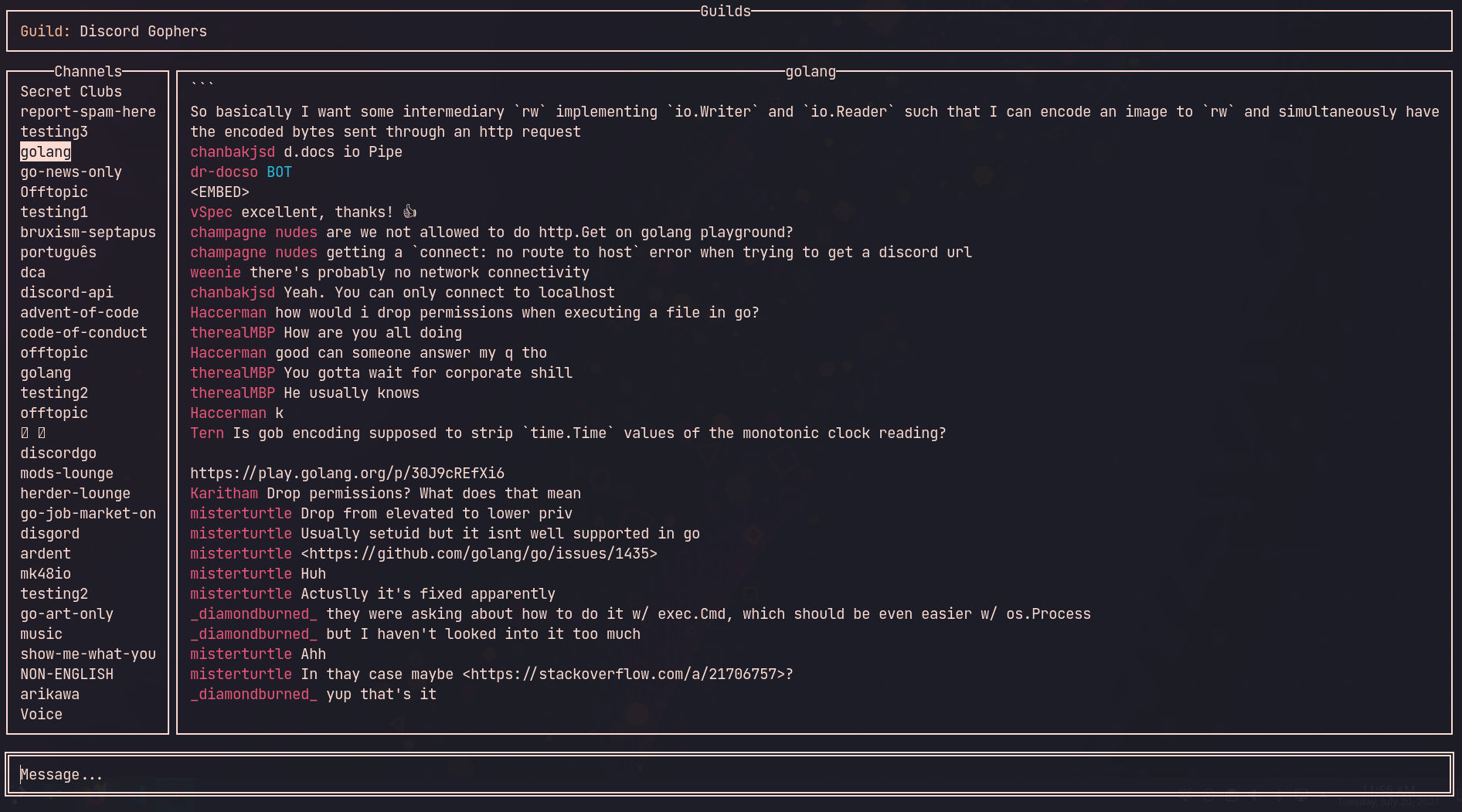
Features
- Lightweight: Designed to have a low memory footprint and low CPU usage, overall a low usage of system resources.
- Secure: Securely stores credentials (email, password, or authentication token) in OS-specific keyring file.
Installation
Run the following commands in chronological order.
git clone https://github.com/rigormorrtiss/discordo
cd discordo
cp build/discordo_linux_amd64 /usr/local/bin/discordo
Binary name examples:
discordo_linux_amd64discordo_darwin_amd64discordo_windows_amd64.exe
Usage
Run the executable by running the following command in a terminal.
discordoChoose the preferred login method.
Log in using the chosen login method and click on "Login" button to continue. Note: bot accounts must be prefixed with "Bot ".