
 ayn2op
e494d7811d
feat: focus MessagesText widget on cancel
ayn2op
e494d7811d
feat: focus MessagesText widget on cancel
|
před 3 roky | |
|---|---|---|
| .github | před 3 roky | |
| config | před 3 roky | |
| discordmd | před 3 roky | |
| .gitignore | před 4 roky | |
| LICENSE | před 3 roky | |
| README.md | před 3 roky | |
| attachment_image.go | před 3 roky | |
| go.mod | před 3 roky | |
| go.sum | před 3 roky | |
| guilds_tree.go | před 3 roky | |
| login_form.go | před 3 roky | |
| main.go | před 3 roky | |
| main_flex.go | před 3 roky | |
| message_input.go | před 3 roky | |
| messages_text.go | před 3 roky | |
| state.go | před 3 roky |
README.md
Discordo · 


Discordo is a lightweight, secure, and feature-rich Discord terminal client. Heavily work-in-progress, expect breaking changes.
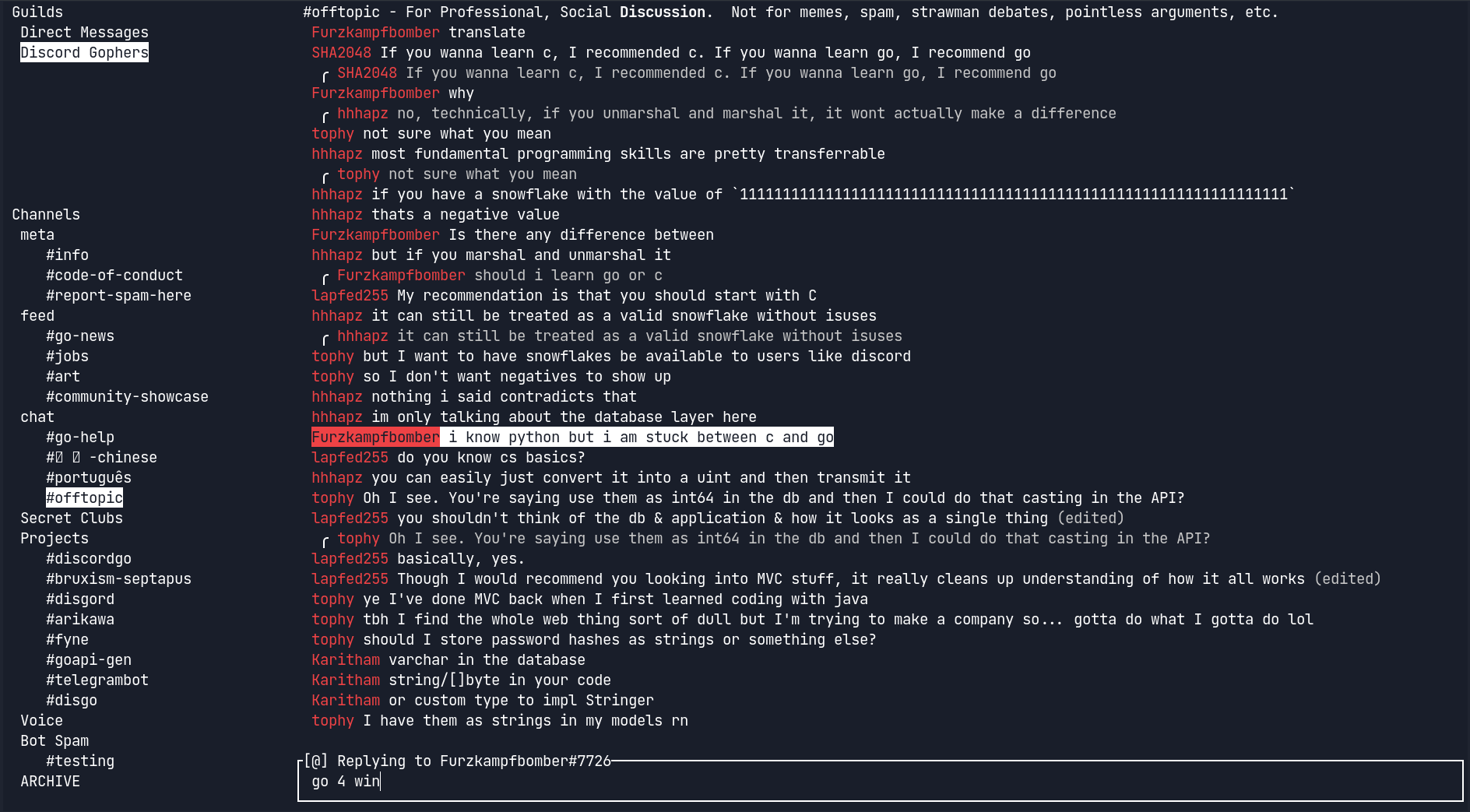
Table of Contents
Features
- Lightweight
- Secure
- Configurable
- Cross-platform
- Minimalistic
- Feature-rich
- Mouse & clipboard support
- 2-Factor authentication
- Partial Discord-flavored markdown
Installation
Prebuilt binaries
You can download and install a prebuilt binary here for Windows, macOS, or Linux.
Package managers
- Arch Linux:
yay -S discordo-git(thanks to Alyxia Sother for maintaining the AUR package). - FreeBSD:
pkg install discordoor via the ports systemmake -C /usr/ports/net-im/discordo install clean.
Building from source
git clone https://github.com/ayn2op/discordo
cd discordo
go build .

# optional
sudo mv ./discordo /usr/local/bin
Linux clipboard support
xcliporxselfor X11 (apt install xclip)wl-clipboardfor Wayland (apt install wl-clipboard)
Usage
- Run the
discordoexecutable with no arguments.
- If you are logging in using an authentication token, provide the
tokencommand-line flag to the executable (eg:--token "OTI2MDU5NTQxNDE2Nzc5ODA2.Yc2KKA.2iZ-5JxgxG-9Ub8GHzBSn-NJjNg"). The token is stored securely in the default OS-specific keyring.
- Enter your email and password and click on the "Login" button to continue.
- Most of the Discord third-party clients store the token in a configuration file unencrypted. Discordo securely stores the token in the default OS-specific keyring.
Configuration
A default configuration file is created on first start-up at $HOME/.config/discordo/config.yml on Unix, $HOME/Library/Application Support/discordo/config.yml on Darwin, and %AppData%/discordo/config.yml on Windows.
Similarly, a log file is created on first start-up at $HOME/.cache/discordo/logs.txt on Unix, $HOME/Library/Caches/discordo/logs.txt on Darwin, and %LocalAppData%/discordo/logs.txt on Windows.
Disclaimer
Automated user accounts or "self-bots" are against Discord's Terms of Service. I am not responsible for any loss caused by using "self-bots" or Discordo.