
 ayntgl
ceae56bca3
refactor: move isUnread to util.go
ayntgl
ceae56bca3
refactor: move isUnread to util.go
|
%!s(int64=4) %!d(string=hai) anos | |
|---|---|---|
| .github | %!s(int64=4) %!d(string=hai) anos | |
| LICENSE | %!s(int64=5) %!d(string=hai) anos | |
| README.md | %!s(int64=4) %!d(string=hai) anos | |
| config.go | %!s(int64=4) %!d(string=hai) anos | |
| discord.go | %!s(int64=4) %!d(string=hai) anos | |
| go.mod | %!s(int64=4) %!d(string=hai) anos | |
| go.sum | %!s(int64=4) %!d(string=hai) anos | |
| main.go | %!s(int64=4) %!d(string=hai) anos | |
| ui.go | %!s(int64=4) %!d(string=hai) anos | |
| util.go | %!s(int64=4) %!d(string=hai) anos |
README.md
discordo · 


Discordo is a lightweight, secure, and feature-rich Discord terminal client. Heavily work-in-progress, expect breaking changes.
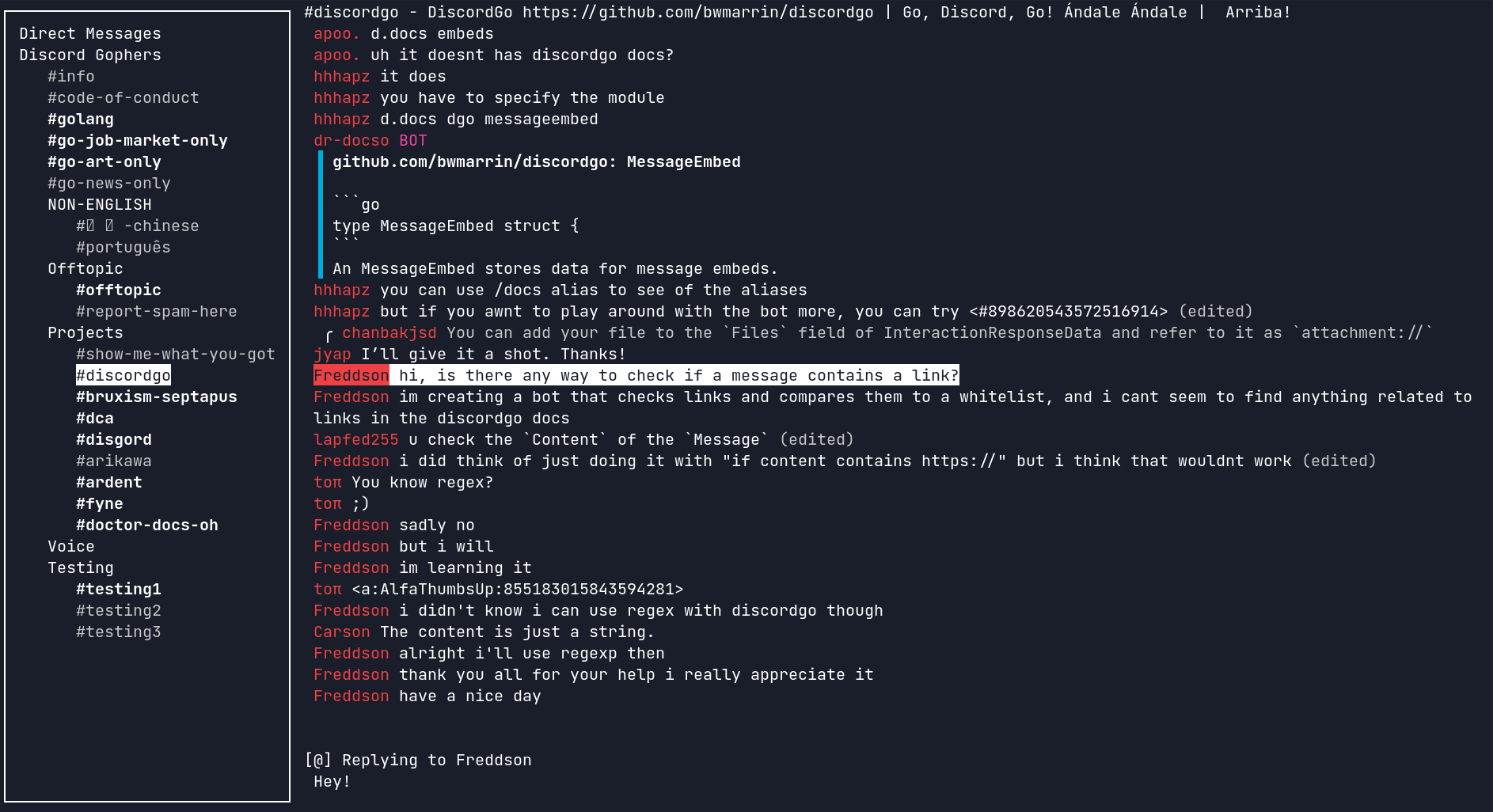
Features
- Lightweight
- Secure
- Configurable
- Cross-platform
- Minimalistic
- Feature-rich
- Mouse & clipboard support
- 2-Factor authentication
- Desktop notifications
- Partial Discord-flavored markdown
Installation
Building from source
git clone https://github.com/ayntgl/discordo
cd discordo
go build

# optional
sudo mv ./discordo /usr/local/bin
Package managers
- Arch Linux (unofficial, AUR, may be outdated):
yay -S discordo-git
Usage
- Run the
discordoexecutable with no arguments. On first startup, a default configuration file will be created at$HOME/.config/discordo.tomlon Unix,%AppData%/discordo.tomlon Windows,$HOME/Library/Application Support/discordo.tomlon Darwin, and$home/lib/discordo.tomlon Plan 9. - Log in using the account email and password (first-time login) and click on the "Login" button to continue.
By default, Discordo utilizes OS-specific keyring to store credentials such as client authentication token. However, if you prefer not to use a keyring (not recommended), you may set the
tokenfield in the configuration file and Discordo will prioritize the usage of the provided token to login instead of keyring.
Clipboard support
On Linux, clipboard support requires:
xcliporxselfor X11.wl-clipboardfor Wayland.
Disclaimer
Automated user accounts or "self-bots" are against Discord's Terms of Service. I am not responsible for any loss caused by using "self-bots" or Discordo.