
 ayn2op
bc22f45f64
refactor(ui/chat): rename messagesList edit/delete command helpers
ayn2op
bc22f45f64
refactor(ui/chat): rename messagesList edit/delete command helpers
|
hai 5 meses | |
|---|---|---|
| .github | hai 6 meses | |
| cmd | hai 5 meses | |
| internal | hai 5 meses | |
| pkg | hai 5 meses | |
| .gitignore | hai 1 ano | |
| LICENSE | hai 1 ano | |
| README.md | hai 6 meses | |
| go.mod | hai 5 meses | |
| go.sum | hai 5 meses | |
| main.go | hai 8 meses |
README.md
Discordo · 



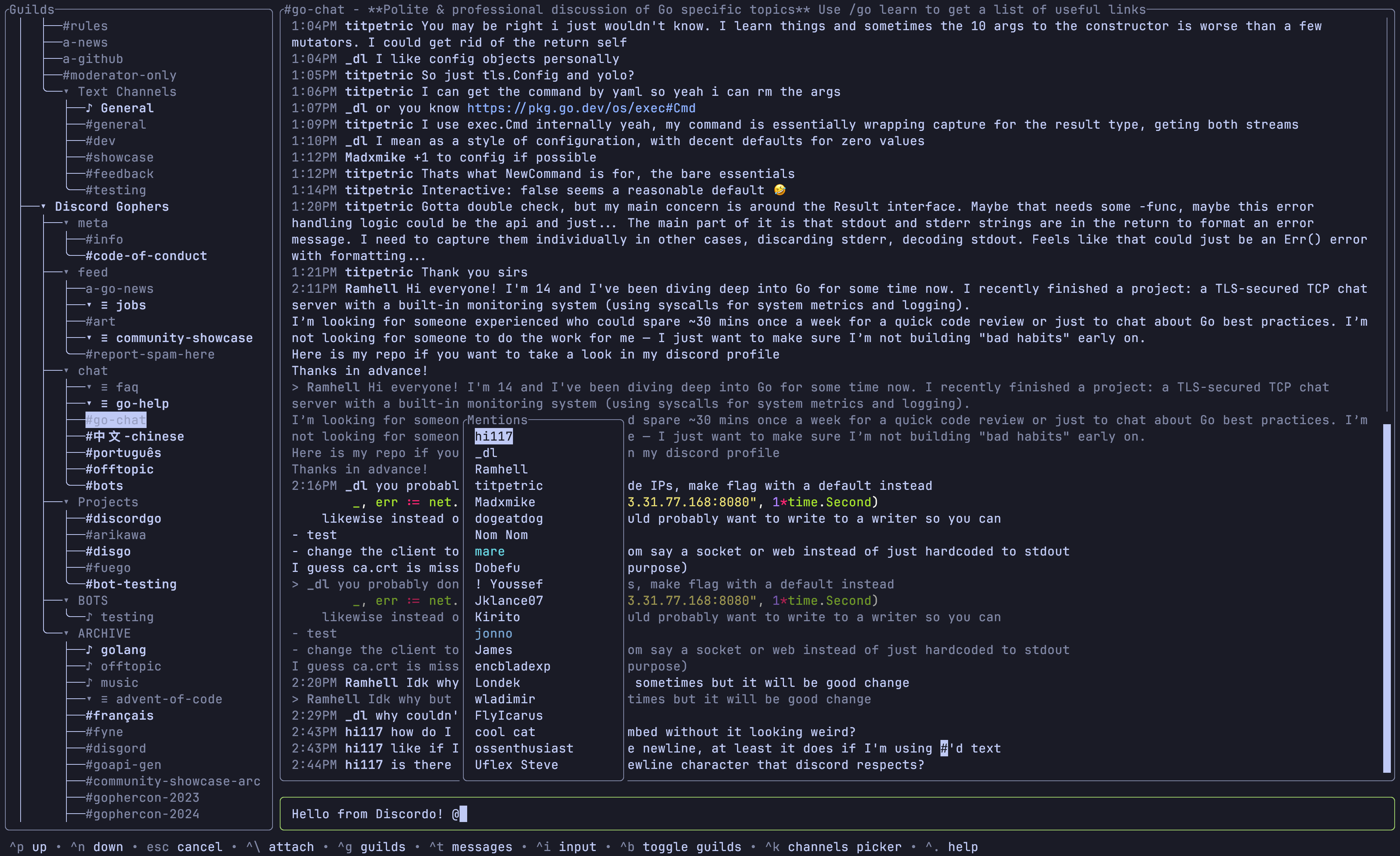
Discordo is a lightweight, secure, and feature-rich Discord terminal client. Heavily work-in-progress, expect breaking changes.
Installation
Prebuilt binaries
You can download and install a prebuilt binary here for Windows, macOS, or Linux.
Package managers
- Arch Linux:
yay -S discordo-git - Gentoo (available on the guru repos as a live ebuild):
emerge net-im/discordo - FreeBSD:
pkg install discordoor via the ports systemmake -C /usr/ports/net-im/discordo install clean. Nix: Add
pkgs.discordotoenvironment.systemPackagesorhome.packages.Windows (Scoop):
scoop bucket add vvxrtues https://github.com/vvirtues/bucket
scoop install discordo
Building from source
git clone https://github.com/ayn2op/discordo
cd discordo
go build .
Wayland clipboard support
wl-clipboard is required for clipboard support.
Usage
Token (UI, recommended)
Run the
discordoexecutable with no arguments.Enter your token and click on the "Login" button to save it.
Token (environment variable)
Set the value of the DISCORDO_TOKEN environment variable to the authentication token to log in with.
DISCORDO_TOKEN="OTI2MDU5NTQxNDE2Nzc5ODA2.Yc2KKA.2iZ-5JxgxG-9Ub8GHzBSn-NJjNg" discordo
QR (UI)
Run the
discordoexecutable with no arguments.Click on the "Login with QR" button.
Follow the instructions in the QR Login screen.
Configuration
The configuration file allows you to configure and customize the behavior, keybindings, and theme of the application.
- Unix:
$XDG_CONFIG_HOME/discordo/config.tomlor$HOME/.config/discordo/config.toml - Darwin:
$HOME/Library/Application Support/discordo/config.toml - Windows:
%AppData%/discordo/config.toml
Discordo uses the default configuration if a configuration file is not found in the aforementioned path; however, the default configuration file is not written to the path. The default configuration can be found here.
[!IMPORTANT] Automated user accounts or "self-bots" are against Discord's Terms of Service. I am not responsible for any loss caused by using "self-bots" or Discordo.
License
Copyright (C) 2025-present ayn2op
This project is licensed under the GNU General Public License v3.0 (GPL-3.0). See the LICENSE file for the full license text.