
 ayn2op
ad49eee3ec
feat: add state log handler
ayn2op
ad49eee3ec
feat: add state log handler
|
1 năm trước cách đây | |
|---|---|---|
| .github | 1 năm trước cách đây | |
| cmd | 1 năm trước cách đây | |
| internal | 1 năm trước cách đây | |
| .gitignore | 4 năm trước cách đây | |
| LICENSE | 1 năm trước cách đây | |
| README.md | 1 năm trước cách đây | |
| go.mod | 1 năm trước cách đây | |
| go.sum | 1 năm trước cách đây | |
| main.go | 1 năm trước cách đây |
README.md
Discordo · 



Discordo is a lightweight, secure, and feature-rich Discord terminal client. Heavily work-in-progress, expect breaking changes.
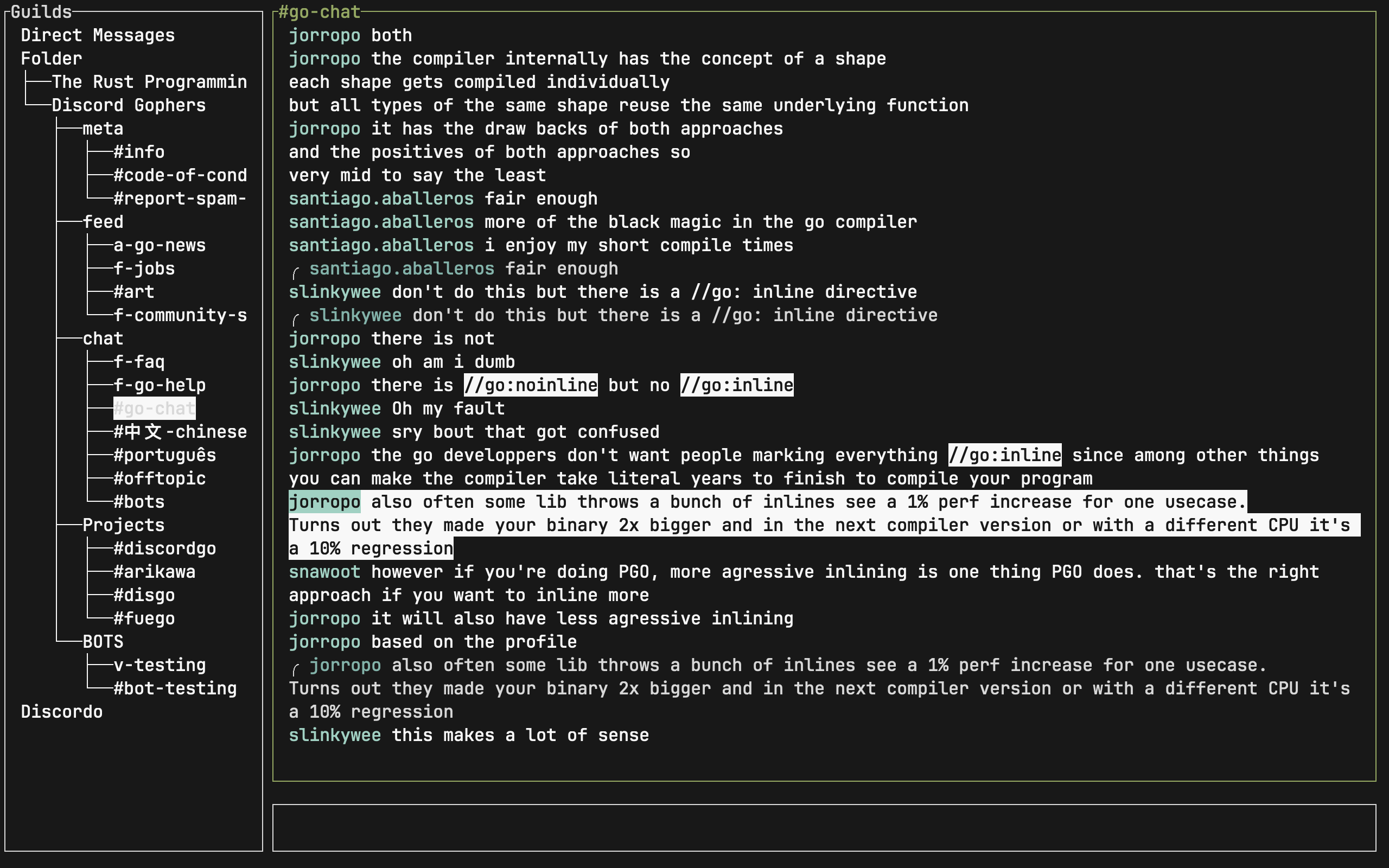
Features
- Lightweight
- Configurable
- Mouse & clipboard support
- Notifications
- 2-Factor authentication
- Discord-flavored markdown
Installation
Prebuilt binaries
You can download and install a prebuilt binary here for Windows, macOS, or Linux.
Package managers
- Arch Linux:
yay -S discordo-git - FreeBSD:
pkg install discordoor via the ports systemmake -C /usr/ports/net-im/discordo install clean. NixOS:
nix-shell -p discordoWindows (Scoop):
scoop bucket add vvxrtues https://github.com/vvirtues/bucket
scoop install discordo
Building from source
git clone https://github.com/ayn2op/discordo
cd discordo
go build .
Linux clipboard support
xcliporxselfor X11 (apt install xclip)wl-clipboardfor Wayland (apt install wl-clipboard)
Usage
- Run the
discordoexecutable with no arguments.
If you are logging in using an authentication token, provide the
tokencommand-line flag to the executable (eg:--token "OTI2MDU5NTQxNDE2Nzc5ODA2.Yc2KKA.2iZ-5JxgxG-9Ub8GHzBSn-NJjNg"). The token is stored securely in the default OS-specific keyring.
- Enter your email and password and click on the "Login" button to continue.
Keymaps
Global
Ctrl+G: Focus Guilds TreeCtrl+T: Focus Messages TextCtrl+P: Focus Message InputCtrl+B: Toggle Guilds Tree (sidebar)Esc: Reset message selection or close the channel selection popup.Ctrl+C: Quit the application.Ctrl+D: Log out and remove the authentication token from keyring (requires re-login upon restart).
Navigation
k: Select Previous (any context except input)j: Select Next (any context except input)g: Select First (any context except input)G: Select Last (any context except input)
Guilds Tree
Enter: Select the currently highlighted text-based channel or expand a guild or channel.
Message Text
s: Select the message reference (reply) of the selected channel.p: Select the pinned message.r: Reply to the selected message.R: Reply (with mention) to the selected message.d: Delete the selected message.y: Yank (copy) the selected message's content.o: Open the selected message's attachments in the default browser application.
Message Input
Alt+Enter: Insert a new line to the current text.Enter: Send the message.Ctrl+E: Open message input in your default$EDITOR.Esc: Remove existing text or cancel reply.
Configuration
The configuration file allows you to configure and customize the behavior, keybindings, and theme of the application.
- Unix:
$XDG_CONFIG_HOME/discordo/config.tomlor$HOME/.config/discordo/config.toml - Darwin:
$HOME/Library/Application Support/discordo/config.toml - Windows:
%AppData%/discordo/config.toml
The default configuration can be found here.
FAQ
Manually adding token to keyring
Do this if you get the error:
failed to get token from keyring: secret not found in keyring
MacOS
Run the following command in a terminal window with sudo to create the token entry.
security add-generic-password -s discordo -a token -w "DISCORD TOKEN HERE"
Linux
Start the keyring daemon.
eval $(gnome-keyring-daemon --start)
export $(gnome-keyring-daemon --start)
Create the
loginkeyring if it does not exist already. See GNOME/Keyring for more information.Run the following command to create the
tokenentry.secret-tool store --label="DISCORD TOKEN HERE" service discordo username tokenWhen it prompts for the password, paste your token, and hit enter to confirm.
[!IMPORTANT] Automated user accounts or "self-bots" are against Discord's Terms of Service. I am not responsible for any loss caused by using "self-bots" or Discordo.