
 ayntgl
a91c1a35b4
refactor: move findByMessageID() to util.go
ayntgl
a91c1a35b4
refactor: move findByMessageID() to util.go
|
5 anos atrás | |
|---|---|---|
| .github | 5 anos atrás | |
| LICENSE | 5 anos atrás | |
| README.md | 5 anos atrás | |
| config.go | 5 anos atrás | |
| discord.go | 5 anos atrás | |
| go.mod | 5 anos atrás | |
| go.sum | 5 anos atrás | |
| main.go | 5 anos atrás | |
| renderer.go | 5 anos atrás | |
| ui.go | 5 anos atrás | |
| util.go | 5 anos atrás |
README.md
discordo · 


[WIP] Discordo is a lightweight, secure, and feature-rich Discord terminal client. It is highly configurable and has a minimalistic user interface.
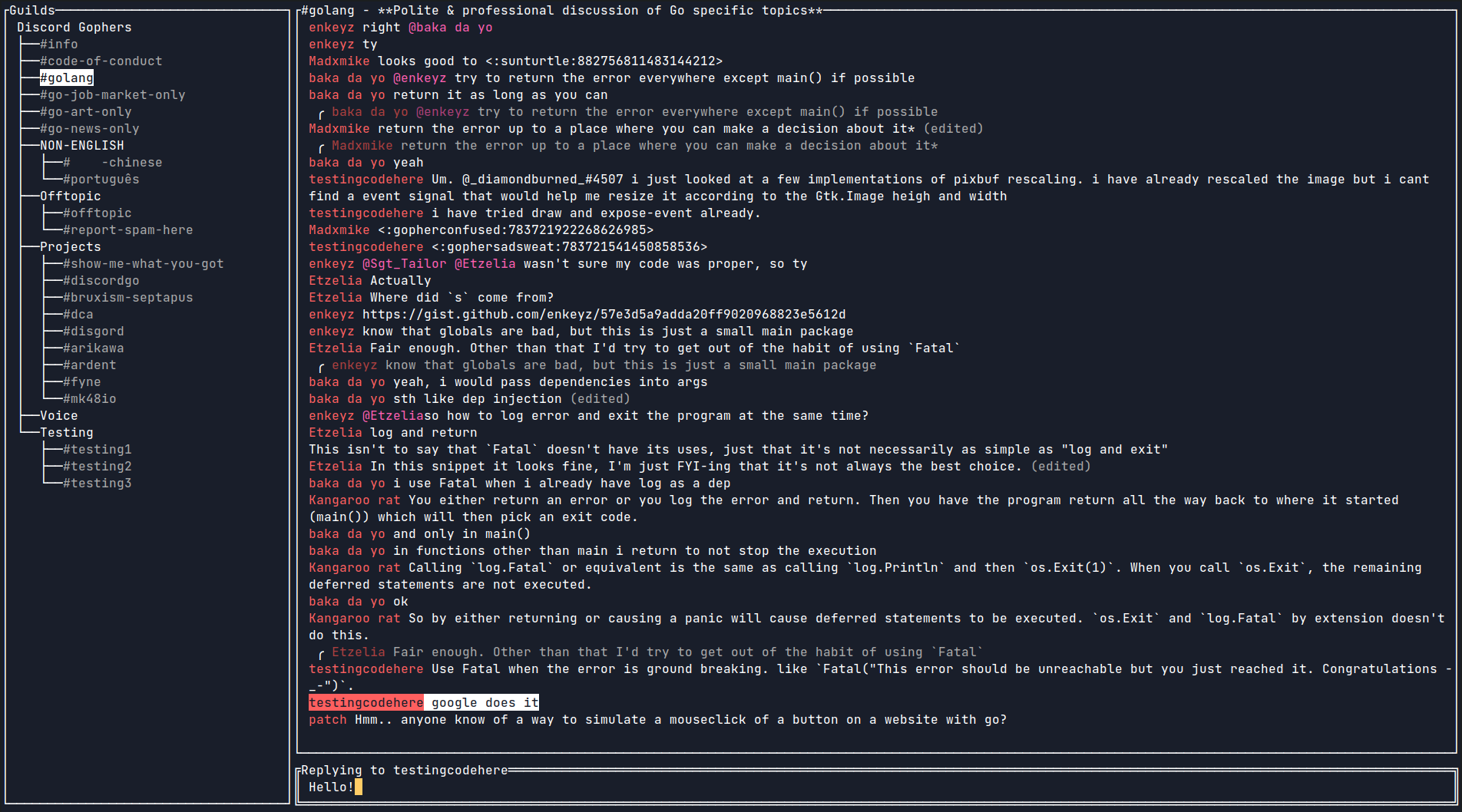
Features
- Lightweight
- Secure
- Configurable
- Cross-platform
- Minimalistic
- Feature-rich
- Mouse & clipboard support
- 2-Factor authentication
- Desktop notifications
- [WIP] Discord-flavored markdown
Installation
Building from source
git clone https://github.com/ayntgl/discordo
cd discordo
go build

# optional
sudo mv ./discordo /usr/local/bin
Package managers
- Arch Linux (unofficial, AUR, may be outdated):
yay -S discordo-git
Usage
- Run the executable in a new Terminal window.
By default, Discordo utilizes OS-specific keyring to store credentials such as client authentication token. However, if you prefer not to use a keyring, you may set the token field in the configuration file (~/.config/discordo/config.json) and Discordo will prioritize the usage of token field to login instead of keyring.
- Log in using the email and password (first-time login) and click on the "Login" button to continue.
Configuration
Discordo aims to be highly configurable, it may be easily customized via a configuration file. It creates a default configuration file on the first start-up. The newly created configuration file is located at $HOME/.config/discordo/config.json.
Clipboard support
On Linux, clipboard support requires:
xcliporxselfor X11.wl-clipboardfor Wayland.
Disclaimer
Automated user accounts or "self-bots" are against Discord's Terms of Service. I am not responsible for any loss caused by using "self-bots" or Discordo.