
 ayn2op
467f46a0b4
refactor(markdown): inline assignment
ayn2op
467f46a0b4
refactor(markdown): inline assignment
|
1 年間 前 | |
|---|---|---|
| .github | 1 年間 前 | |
| cmd | 1 年間 前 | |
| internal | 1 年間 前 | |
| nix | 1 年間 前 | |
| .gitignore | 1 年間 前 | |
| LICENSE | 1 年間 前 | |
| README.md | 1 年間 前 | |
| flake.lock | 1 年間 前 | |
| flake.nix | 1 年間 前 | |
| go.mod | 1 年間 前 | |
| go.sum | 1 年間 前 | |
| main.go | 1 年間 前 |
README.md
Discordo · 



Discordo is a lightweight, secure, and feature-rich Discord terminal client. Heavily work-in-progress, expect breaking changes.
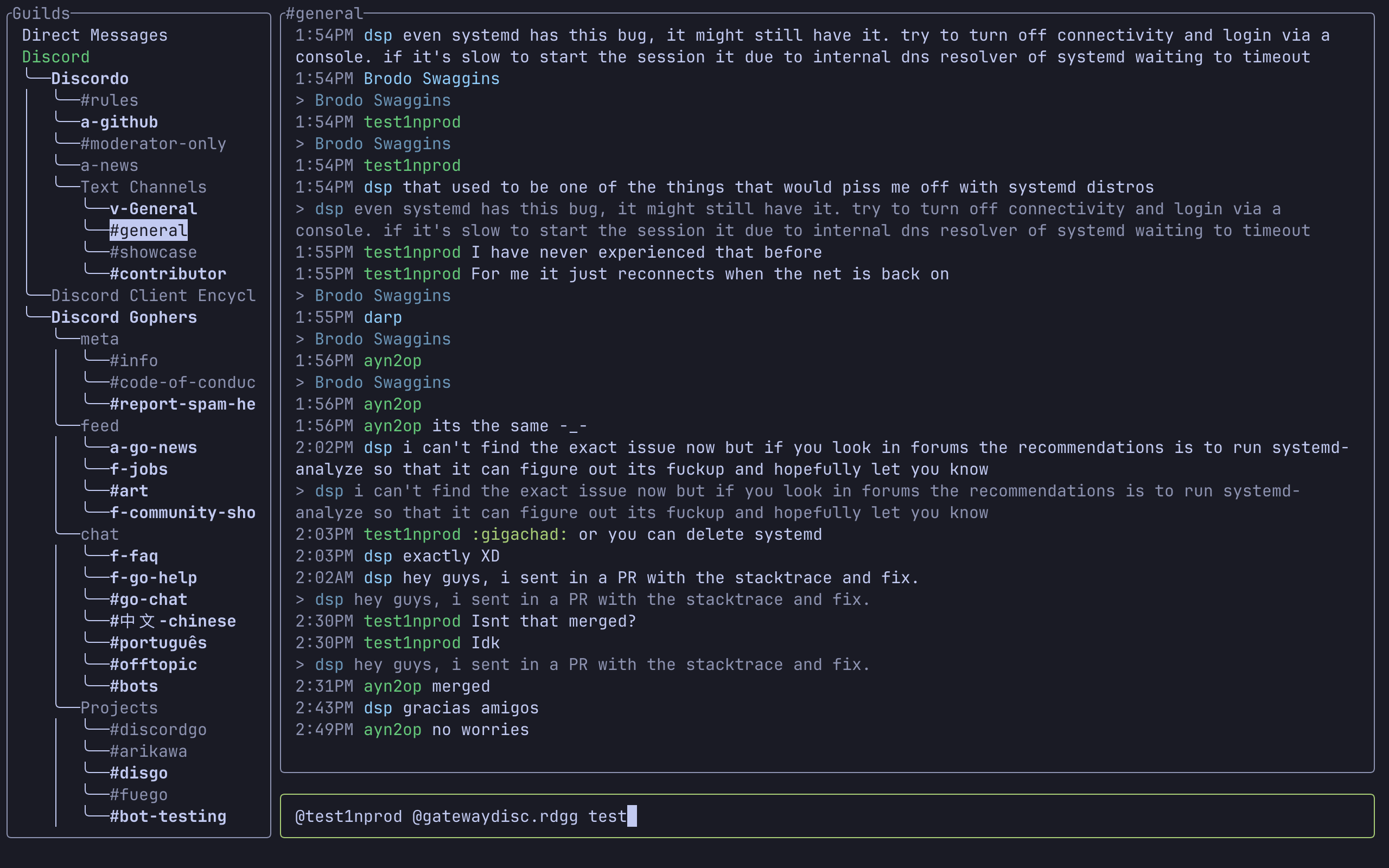
Features
- Lightweight
- Configurable
- Mouse & clipboard support
- Attachments
- Notifications
- 2-Factor authentication
- Discord-flavored markdown
Installation
Prebuilt binaries
You can download and install a prebuilt binary here for Windows, macOS, or Linux.
Package managers
- Arch Linux:
yay -S discordo-git - FreeBSD:
pkg install discordoor via the ports systemmake -C /usr/ports/net-im/discordo install clean. - Nix (NixOS, home-manager)
- Downstream nixpkgs installation: Add
pkgs.discordotoenvironment.systemPackagesorhome.packages. - Upstream flake installation: Add
inputs.discordo.url = "github:ayn2op/discordo". Install usinginputs.discordo.homeModules.default(.enable, .package, .settings TOML).
- Downstream nixpkgs installation: Add
Windows (Scoop):
scoop bucket add vvxrtues https://github.com/vvirtues/bucket
scoop install discordo
Building from source
git clone https://github.com/ayn2op/discordo
cd discordo
go build .
Linux clipboard support
xcliporxselfor X11 (apt install xclip)wl-clipboardfor Wayland (apt install wl-clipboard)
Usage
- Run the
discordoexecutable with no arguments.
If you are logging in using an authentication token, provide the
tokencommand-line flag to the executable (eg:--token "OTI2MDU5NTQxNDE2Nzc5ODA2.Yc2KKA.2iZ-5JxgxG-9Ub8GHzBSn-NJjNg"). The token is stored securely in the default OS-specific keyring.
- Enter your email and password and click on the "Login" button to continue.
Configuration
The configuration file allows you to configure and customize the behavior, keybindings, and theme of the application.
- Unix:
$XDG_CONFIG_HOME/discordo/config.tomlor$HOME/.config/discordo/config.toml - Darwin:
$HOME/Library/Application Support/discordo/config.toml - Windows:
%AppData%/discordo/config.toml
Discordo uses the default configuration if a configuration file is not found in the aforementioned path; however, the default configuration file is not written to the path. The default configuration can be found here.
FAQ
Manually adding token to keyring
Do this if you get the error:
failed to get token from keyring: secret not found in keyring
Windows
Run the following command in a terminal window. Replace YOUR_DISCORD_TOKEN with your authentication token.
cmdkey /add:discordo /user:token /pass:YOUR_DISCORD_TOKEN
MacOS
Run the following command in a terminal window. Replace YOUR_DISCORD_TOKEN with your authentication token.
security add-generic-password -s discordo -a token -w "YOUR_DISCORD_TOKEN"
Linux
Start the keyring daemon.
eval $(gnome-keyring-daemon --start)
export $(gnome-keyring-daemon --start)
Create the
loginkeyring if it does not exist already. See GNOME/Keyring for more information.Run the following command to create the
tokenentry.secret-tool store service discordo username tokenWhen it prompts for the password, paste your token, and hit enter to confirm.
[!IMPORTANT] Automated user accounts or "self-bots" are against Discord's Terms of Service. I am not responsible for any loss caused by using "self-bots" or Discordo.