
 rigormorrtiss
3e5aac4b5e
Switch to list for keybindings
rigormorrtiss
3e5aac4b5e
Switch to list for keybindings
|
před 5 roky | |
|---|---|---|
| assets | před 5 roky | |
| ui | před 5 roky | |
| util | před 5 roky | |
| .gitignore | před 5 roky | |
| LICENSE | před 5 roky | |
| README.md | před 5 roky | |
| discordo.go | před 5 roky | |
| go.mod | před 5 roky | |
| go.sum | před 5 roky |
README.md
discordo
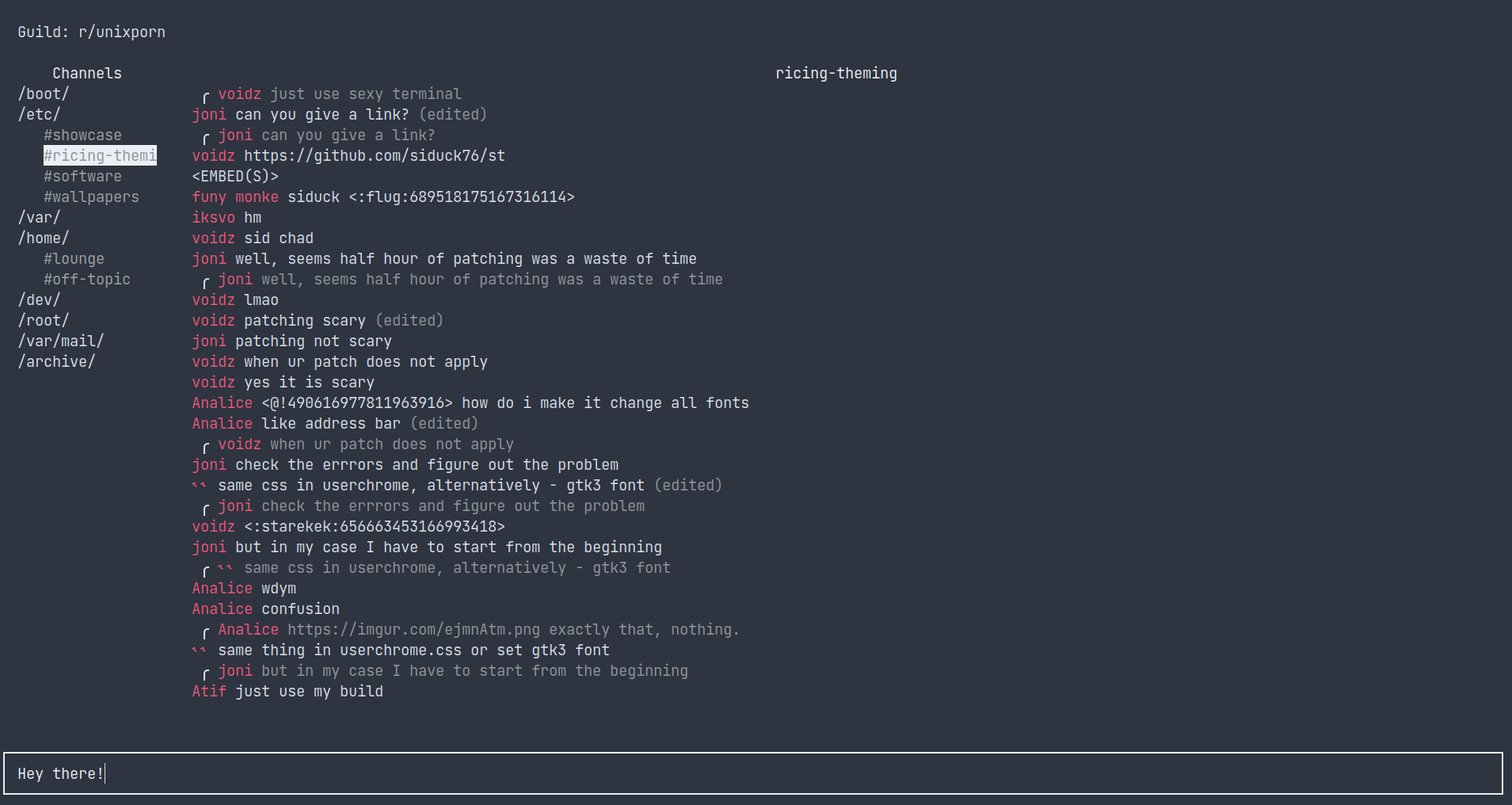
[WIP] Discordo is a terminal-based Discord client that aims to be lightweight, secure, and feature-rich.
Features
- Lightweight
- Easy-to-use
- Secure
- Cross-platform
- Configurable
- Discord-flavored markdown
- Clipboard support
Installation
Building
git clone https://github.com/rigormorrtiss/discordo
cd discordo && go build

# optional
sudo mv ./discordo /usr/local/bin
Getting Started
- Run the built executable in a new Terminal.
- Choose the preferred login method.
- Log in using the chosen login method and click on "Login" button to continue.
Default Keybindings
Ctrl+G: Sets the focus on the guilds dropdown.Ctrl+J: Sets the focus on the channels treeview.Ctrl+K: Sets the focus on the messages textview.Ctrl+L: Sets the focus on the message inputfield.
Disclaimer
Automated user accounts or "self-bots" are against Discord's Terms of Service. I am not responsible for any loss caused by using "self-bots" or Discordo.